


V7 CKW400 Manuale
Manuale PDF · 1 Pagine
Italiano


Controllo rapido
Risposta errata, riprova.
Chatta con il manuale del tuo V7 CKW400 utilizzando l'IA
Ottieni risposte istantanee dall'IA dal manuale del tuo V7 CKW400
Chiedi qualsiasi cosa sul V7 CKW400. Le risposte provengono da questo manuale, con le pagine di riferimento.
Fai una Domanda
Consigli CKW400?
Sì NoDomande frequenti
To reset the device, locate the small reset button usually found on the underside of the keyboard or mouse. Use a paperclip to press and hold the button for about five seconds until the LED indicator flashes. Re-pair the device with the USB receiver by pressing the connect button if necessary.
Questa risposta è utile?
Yes, the V7 CKW400 is generally compatible with Mac computers via the USB receiver. However, some key mappings might differ slightly due to OS differences. You may need to adjust specific key functions within your system settings for optimal performance.
Questa risposta è utile?
Both the keyboard and mouse typically use standard AAA batteries. Check the battery compartment on the bottom of each device to confirm the correct orientation. It is recommended to use high-quality alkaline batteries for longer lifespan and consistent performance.
Questa risposta è utile?
The wireless range is suitable for typical office or home use, usually up to ten meters. Obstacles like walls or metal objects can reduce this range. For best results, keep the USB receiver close to the devices and avoid placing them near other electronic interference sources.
Questa risposta è utile?
No, the V7 CKW400 model does not feature built-in backlighting. It relies on ambient light for visibility. If you work in low-light conditions, consider using an external monitor light or desk lamp to enhance visibility while typing.
Questa risposta è utile?
Battery replacement frequency depends on usage patterns. With moderate daily use, batteries might last several months. If you notice lagging response times or dim indicators, it is time to replace them. Using rechargeable batteries can help reduce long-term costs.
Questa risposta è utile?
Vantaggi e Svantaggi
Vantaggi

- Ergonomic design reduces hand and wrist strain during extended use
- Wireless connectivity eliminates cable clutter and increases mobility
- Plug-and-play USB setup requires no additional drivers or software
- UK layout supports local typing standards effectively
- Cost-effective solution offering good value for money
Svantaggi

- Battery life may vary depending on usage intensity and frequency
- Limited customization options for key functions compared to premium models
- Wireless range might be restricted in environments with heavy interference
- No dedicated media keys for advanced multimedia control
- Mouse lacks adjustable DPI settings for different precision needs
Prodotto Specifiche
Contenuto della confezione
Mouse, tastiera, tastierino numerico
Layout
UK
Connessione
Wireless (2,40 GHz)
Sensore (mouse)
LED-rosso/IR 1600 dpi, riducibile a 1200/800 dpi
Caratteristiche
Tastierino numerico
Descrizione del prodotto Descrizione
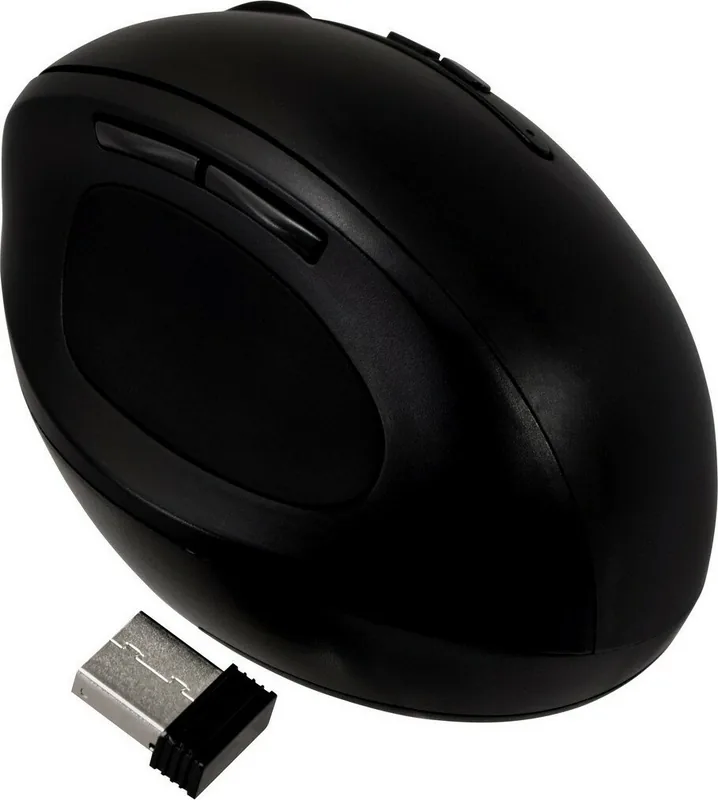
Experience Comfort with the V7 CKW400 Ergonomic Wireless Keyboard and Mouse Combo
In today's fast-paced digital world, maintaining comfort during long hours of typing and navigation is essential for productivity. The V7 CKW400 Ergonomic Wireless Keyboard and Mouse Combo offers a seamless solution designed to reduce strain while delivering reliable performance. This UK layout device set connects effortlessly via USB, ensuring compatibility with a wide range of computers without the need for complex drivers or software installations.
The ergonomic design of the keyboard features a gentle curve that aligns naturally with your hands, promoting a neutral wrist position to minimize fatigue. Combined with the wireless mouse, this combo provides a clutter-free workspace by eliminating tangled wires. The wireless technology allows you to move freely around your desk, enhancing mobility and flexibility. Whether you are working on documents, browsing the web, or managing emails, the responsive keys and smooth cursor control ensure an efficient workflow.
Setting up the V7 CKW400 is straightforward and user-friendly. Simply plug the USB receiver into your computer, and the devices will connect automatically. The included quick installation guide helps you get started immediately, covering reset procedures and basic connectivity checks in multiple languages. This ease of use makes it an ideal choice for both home offices and professional environments where time-saving setup is crucial.
While the V7 CKW400 focuses on functionality and comfort, it also brings a modern aesthetic to your desk setup. The sleek design complements various interior styles, making it a practical addition to any workstation. Users appreciate the balance between affordability and quality, as the device maintains consistent performance over extended periods. By prioritizing user ergonomics and wireless convenience, this product stands out as a smart investment for anyone seeking to improve their daily computing experience.
Important Notes
- Ensure the USB receiver is securely connected for optimal signal strength.
- Keep the devices away from direct sunlight to prevent overheating.
- Regularly clean the keys and mouse surface to maintain hygiene and performance.
Cerca di 67.706 Manuali online


Digita il marchio o il modello