
ThunderX3 AS5 HEX RGB Manuale
Manuale PDF · 10 Pagine
Italiano



Controllo rapido
Risposta errata, riprova.
Chatta con il manuale del tuo ThunderX3 AS5 HEX RGB utilizzando l'IA
Ottieni risposte istantanee dall'IA dal manuale del tuo ThunderX3 AS5 HEX RGB
Chiedi qualsiasi cosa sul ThunderX3 AS5 HEX RGB. Le risposte provengono da questo manuale, con le pagine di riferimento.
Fai una Domanda
Consigli AS5 HEX RGB?
Sì NoDomande frequenti
Connect USB to computer or charger with output current greater than 2A.
Questa risposta è utile?
It operates with a CR2025 battery which is not included.
Questa risposta è utile?
Press 5 times to lock or unlock pairing for single or multiple devices.
Questa risposta è utile?
Red, Green, Blue, White, plus RGB modes.
Questa risposta è utile?
Effective from invoice date or packaging date plus one month.
Questa risposta è utile?
No, ensure charger output current is greater than 2A manually.
Questa risposta è utile?
Located underneath the product, starts with SN.
Questa risposta è utile?
Vantaggi e Svantaggi
Vantaggi

- Magnetic remote control offers easy access and storage on metal frames.
- Comprehensive RGB lighting options allow customization of ambient atmosphere.
- Simple USB power supply ensures convenient connectivity without extra cables.
- Multi-device pairing support allows control over multiple stand units.
- Sleek black design complements most standard gaming monitor setups effectively.
Svantaggi

- Battery for remote control is not included in the package box.
- Warranty does not cover physical damage or misuse of the product.
- Requires specific charger output greater than 2A for stable operation.
- Magnetic remote needs a metal surface to adhere properly to.
- Cannot change colors manually without using the provided remote control.
Prodotto Specifiche
Tipo
Alzatore per monitor
Compatibilità
Monitor fino a 10,00 kg
Dimensioni
60,00x8,00x24,00 cm (LxHxP)
Peso
1,80 kg
Colore
Nero
Caratteristiche
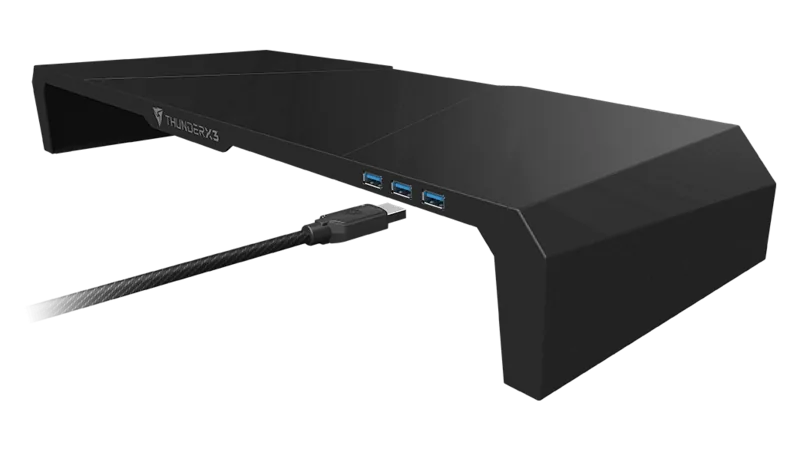
Illuminazione LED (RGB, Telecomando), Hub USB (3x USB-A 2.0)
Descrizione del prodotto Descrizione
Experience Gaming Excellence with the Thunder X3 AS5
Elevate Your Desk Setup
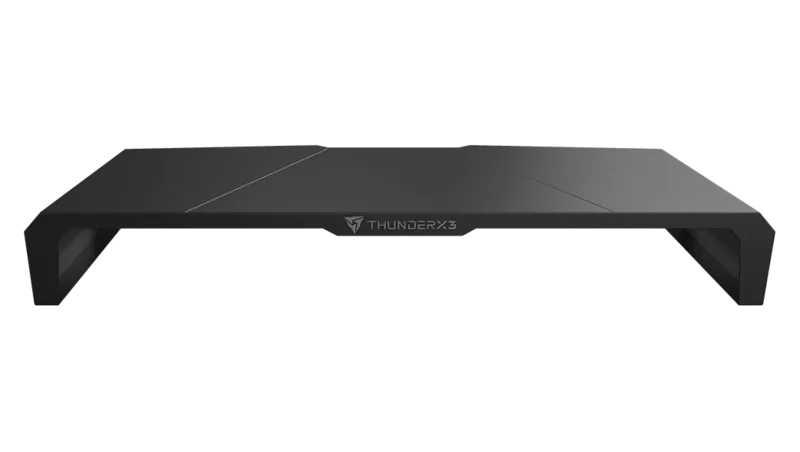
Transform your workspace into a high-tech gaming hub with the Thunder X3 AS5 HEX RGB Monitor Stand. Designed specifically for serious gaming enthusiasts, this black stand offers a sleek modern profile that fits seamlessly under virtually any flat monitor. The integrated RGB lighting system provides a vibrant aesthetic that significantly enhances your gaming atmosphere. You can fully customize colors and lighting effects to match your personal mood, team colors, or specific game themes. The stand is powered conveniently via USB, connecting easily to your PC or a standard wall charger. It requires a minimum current of 2A for optimal performance and stability. This simple connectivity ensures you spend less time troubleshooting and more time playing.
Control with Precision and Ease
Managing your lighting preferences is effortless thanks to the included magnetic remote control. This compact remote adheres securely to metal frames, keeping your desk organized and clutter-free. It uses a standard CR2025 battery which is not included with the initial product package. Users can switch between automatic lighting modes or manually select specific solid colors like white, red, green, and blue independently. Adjust brightness intensity and speed of lighting transitions directly from the remote for the perfect ambiance. The system supports pairing locks, allowing you to manage multiple devices securely if needed for a multi-monitor setup. This flexibility ensures you have full control over your visual environment.
Build Quality and Reliability Standards
Thunder X3 focuses on delivering products that break new market standards consistently. This stand is part of their broader commitment to quality, design, and technological excellence. Regular maintenance ensures longevity, but be aware that physical damage is not covered under standard warranty terms. The product covers defects in material and workmanship during normal use and maintenance conditions only. Contact your local authorized agent for technical support if critical issues arise. Keep your original receipt safe as it determines the warranty period start date accurately. Enjoy a premium accessory that complements your esports setup and enhances your viewing angle effectively.
Installation and Maintenance Tips
Proper installation ensures the best experience for every user. Ensure the surface is clean before placing any accessories. The magnetic remote requires a metal surface for best adhesion. Avoid exposing the unit to extreme temperatures or moisture to prevent damage. Firmware updates are not required for this standalone unit. Simply plug and play to start using the features immediately. Follow the safety guidelines provided by the manufacturer for best results. Always check compatibility with your desk setup.
Final Thoughts for Gamers
This product represents a solid value for money when considering the features provided. It helps to organize cables and adds style to a clean desk. The lighting adds depth to the visual environment. Overall, it is a recommended upgrade for the modern gamer. It stands out in a crowded market of accessories. Many users prefer this stand for its ease of use and visual impact.
Cerca tra 67.732 manuali online


Digita il marchio o il modello