RISK OF EXPLOSION IF BATTERY IS REPLACED BY AN INCORRECT TYPE.
DISPOSE OF USED BATTERIES ACCORDING TO THE INSTRUCTIONS.
VORSICHT
ES BESTEHT EXPLOSIONSGEFAHR, WENN EIN AKKU DES FALSCHEN TYPS EINGESETZT WIRD.
ENTSORGEN SIE VERBRAUCHTE BATTERIEN VORSCHRIFSGEMÄSS.
/2
%
Controllo rapido
Non sono un robot
Risposta errata, riprova.
Chatta con il manuale del tuo Snakebyte Game:Pad S utilizzando l'IA
Ottieni risposte istantanee dall'IA dal manuale del tuo Snakebyte Game:Pad S
Chiedi qualsiasi cosa sul Snakebyte Game:Pad S. Le risposte provengono da questo manuale, con le pagine di riferimento.
Fai una Domanda
0/1000
Consigli Game:Pad S?
SìNo
0
Markus Weber
7 mesi fa
Ho notato che diverse recensioni menzionano problemi di connessione dopo gli aggiornamenti della Switch. È garantito che questo controller rimanga compatibile?
0
Manual.ly
7 mesi fa
Grazie per averci contattato riguardo alle preoccupazioni sulla compatibilità. Anche se il controller è progettato per funzionare con Nintendo Switch, alcuni utenti riportano esperienze diverse dopo gli aggiornamenti di sistema. Ti consigliamo di visitare il sito del produttore per scaricare l'ultimo aggiornamento firmware specifico per questo modello. Per le interruzioni di connessione, assicurati che il cavo USB sia completamente inserito e controlla eventuali danni fisici. Se i problemi persistono nonostante un aggiornamento firmware, contatta l'assistenza per la valutazione della garanzia e le opzioni di sostituzione.
M: QW-35-FL
M: QW-35-FL
Domande
frequenti
A
Insert the Switch into the dock, connect the USB plug to a port, and enable wired communication in system settings under Controllers and Sensors.
Questa risposta è utile?
A
No, this controller requires a wired USB connection specifically to the Nintendo Switch Dock for operation.
Questa risposta è utile?
A
Hold the desired button, press the Turbo key to program, or hold the programmed button then press Turbo again to cancel the feature.
Questa risposta è utile?
A
Yes, enable vibration in system settings and use L3 plus minus button to toggle the feedback on or off.
Questa risposta è utile?
A
Try changing grips in the menu or check wired communication settings. Download the latest firmware if connection issues persist.
Questa risposta è utile?
A
The item number for this controller model is SB910753.
Questa risposta è utile?
M: QW-35-FL
Vantaggie
Svantaggi
Vantaggi
Reliable wired connection ensures zero latency for competitive play and instant response.
Customizable Turbo feature allows rapid fire programming for specific gameplay mechanics.
Ergonomic design matches standard gamepad layouts for familiar and comfortable use.
Vibration control can be toggled easily without accessing complex system settings menu.
Firmware updates available to resolve connectivity or functionality issues over time.
VS
Svantaggi
Does not have wireless Bluetooth capability, requires dock connection for use.
Turbo function excludes ZR and ZL shoulder triggers entirely from programming.
Wired cable length may restrict movement compared to wireless gamepad controllers.
Requires enabling Pro Controller Wired Communication in system settings first to work.
Not officially licensed by Nintendo, some feature compatibility might vary slightly.
1 concavo (sinistro sotto D-pad), 1 concavo (destro sotto pulsanti azione)
D-pad
concavo
Colori
nero, rosso
Caratteristiche
2 motori di vibrazione
M: QW-35-FL
Descrizione del prodotto
Descrizione
Elevate Your Nintendo Switch Gaming Experience
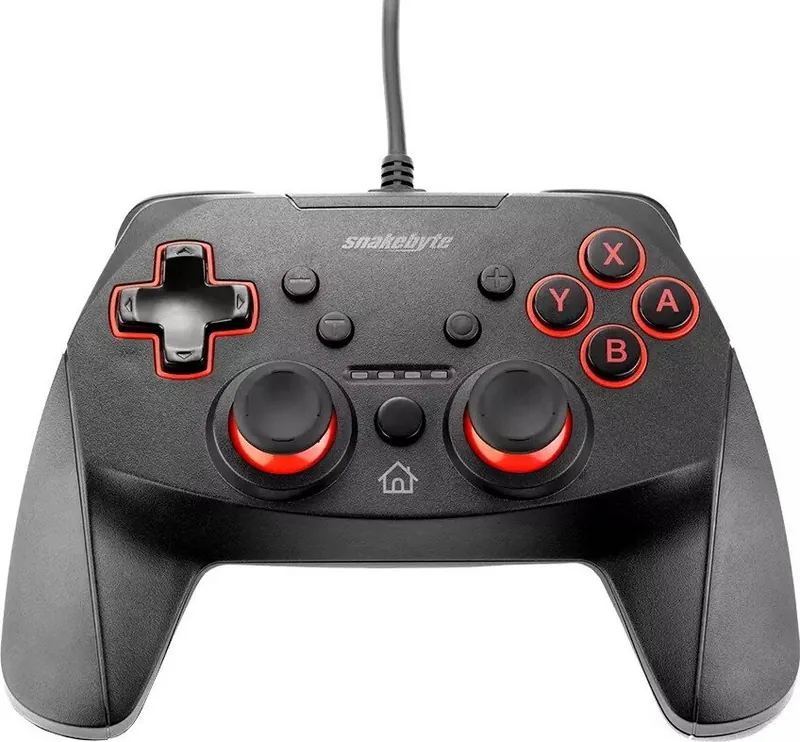
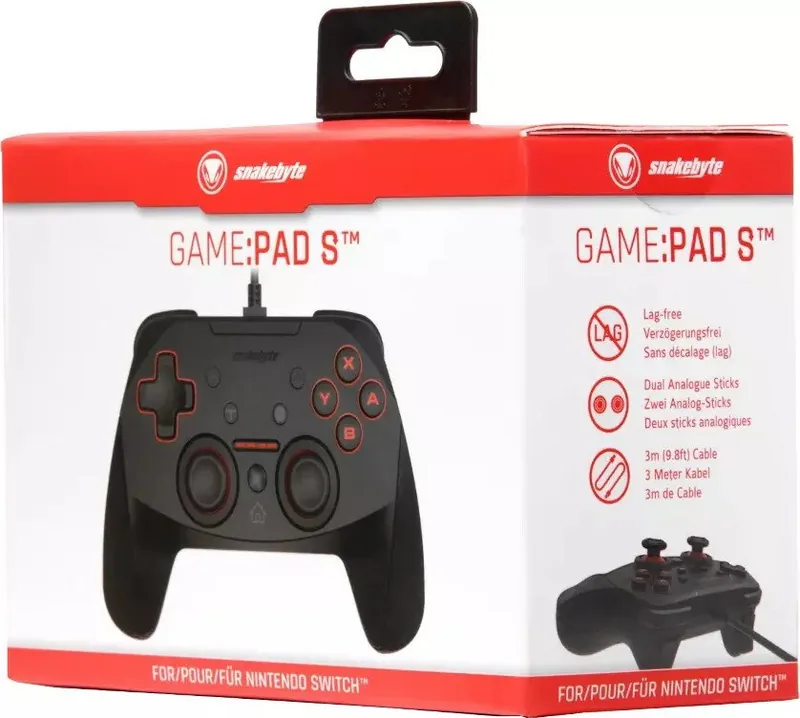
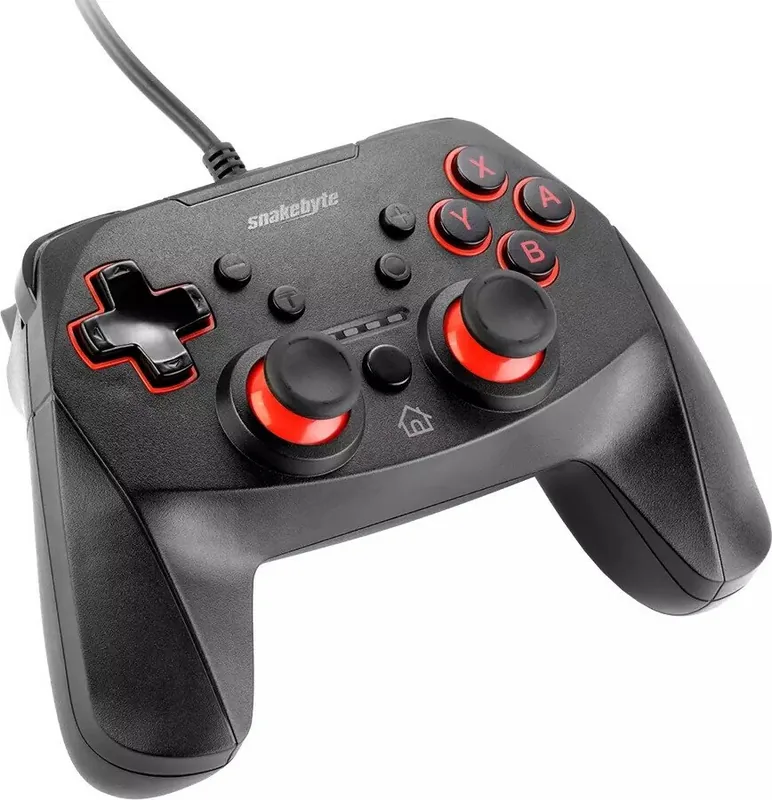
The Nintendo Switch offers incredible versatility in its gameplay modes, but sometimes players simply prefer the familiarity and comfort of a traditional gamepad layout during intense gaming sessions. The Snakebyte Game:Pad S Controller delivers exceptional precision and ergonomic comfort specifically designed for the console, particularly when used in docked mode. This sleek black unit connects directly via a wired USB connection to the dock, ensuring absolutely zero lag during high-stakes competitive moments where reaction speed and responsiveness are absolutely essential for the winner. This setup guarantees a smooth experience. To properly set up your GAME:PAD S, you must place your Switch unit securely in the dock and insert the included USB plug firmly into an available port on the back. You must enable wired communication in the system settings menu under the Controllers and Sensors section to guarantee full stability. Once recognized by the system, the controller works seamlessly across the entire library. One standout feature that sets this hardware apart is the advanced Turbo function which allows you to program almost any button to fire repeatedly with a single press. This function is incredibly useful for repetitive actions in specific rhythm games or fast shooters, though technical limitations mean ZR and ZL triggers cannot be programmed this way. Vibration feedback is tailored via a specific key combination of the Left Stick and the minus button. Comfort is a primary priority for long gaming marathons. Layout includes dual analog sticks, a responsive D-pad, and standard action buttons. The design fits a wide range of hand sizes. Safety protocols are crucial regarding maintenance. Keep the device dry and away from extreme temperatures or high humidity to ensure longevity over time. Do not use liquid cleaning solutions on connectors or the body. If functional issues arise unexpectedly, update the firmware via the snakebyte official website. This controller is an excellent choice for gamers preferring ergonomic layouts over standard Joy-Cons. Whether playing at home or using the dock, this ensures complete immersion in the experience. Users must also take breaks every thirty minutes or so to avoid strain. Important maintenance notes state: Do not modify the hardware yourself as it voids safety protections. Clean only with a dry soft cloth to avoid damaging any ports. The official item number is SB910753. Recycle batteries properly if using wired power. Connection remains stable via USB dock cable. Supports all standard Switch games. Warranty follows snakebyte company guidelines. Enjoy the premium experience today.



Markus Weber
7 mesi fa
Ho notato che diverse recensioni menzionano problemi di connessione dopo gli aggiornamenti della Switch. È garantito che questo controller rimanga compatibile?
Manual.ly
7 mesi fa
Grazie per averci contattato riguardo alle preoccupazioni sulla compatibilità. Anche se il controller è progettato per funzionare con Nintendo Switch, alcuni utenti riportano esperienze diverse dopo gli aggiornamenti di sistema. Ti consigliamo di visitare il sito del produttore per scaricare l'ultimo aggiornamento firmware specifico per questo modello. Per le interruzioni di connessione, assicurati che il cavo USB sia completamente inserito e controlla eventuali danni fisici. Se i problemi persistono nonostante un aggiornamento firmware, contatta l'assistenza per la valutazione della garanzia e le opzioni di sostituzione.