Manual.ly Logo

Shelly BLU Motion Manuale

0,0 · 0 Valutazioni

Manuale PDF · 2 Pagine

Italiano

M: OA-GPT-5-NAN
pagina

/ 2

Loading...
39450f3dce207288cf8b6b23acc0101d0039 page 1
EN
USER AND SAFETY GUIDE
SHELLYBLU MOTION
Read before use
This document contains important technical
and safety information about the device, its
safe use and installation.
⚠CAUTION! Before beginning the installa-
tion, please read carefully and entirely this
guide and any other documents accompa-
nying the device. Failure to follow the instal-
lation procedures could lead to malfunction,
danger to your health and life, violation of
law or refusal of legal and/or commercial
guarantee (if any). Shelly Europe Ltd is not
responsible for any loss or damage in case of
incorrect installation or improper operation of
this device due to failure of following the user
and safety instructions in this guide.
Shelly® devices are delivered with factory-in-
stalled rmware. If rmware updates are
necessary to keep the devices in conformi-
ty, including security updates, Shelly Europe
Ltd will provide the updates free of charge
through the device Embedded Web Interface
or the Shelly mobile application, where the in-
formation about the current rmware version
is available. The choice to install or not the
device rmware updates is the user’s sole
responsibility. Shelly Europe Ltd shall not be
liable for any lack of conformity of the device
caused by failure of the user to install the
provided updates in a timely manner.
Product Introduction
ShellyBLU Motion (the Device) is a smart
Bluetooth motion detection sensor featuring
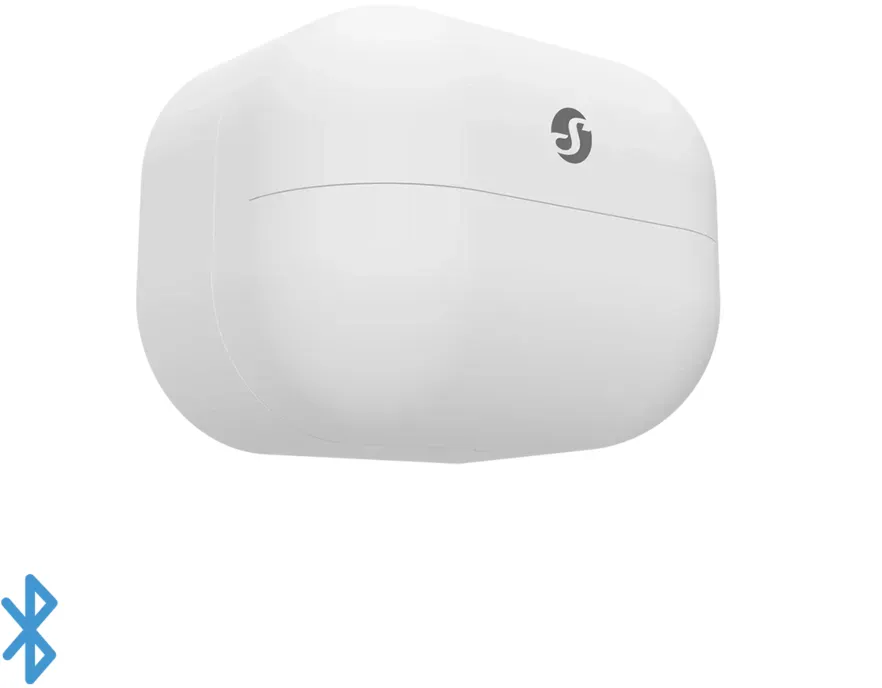
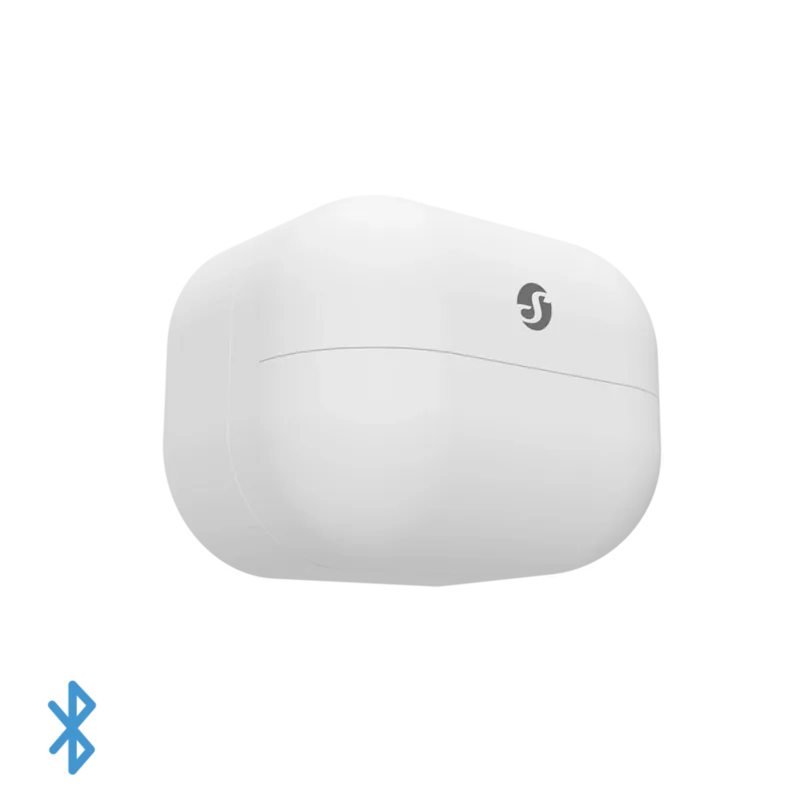
a lux meter. (g.1)
Installation Instructions
⚠CAUTION! The Device is intended for in-
door use only!
⚠CAUTION! Keep the Device away from
liquids and moisture. The Device shouldn't be
used in places with high humidity.
⚠CAUTION! Do not use it if the Device has
been damaged!
⚠CAUTION! Do not attempt to service or
repair the Device yourself!
⚠CAUTION! The Device may be connected
wirelessly and may control electric circuits
and appliances. Proceed with caution! Ir-
responsible use of the Device may lead to
malfunction, danger to your life or violation
of the law.
First steps
ShellyBLU Motion comes ready to use with
the battery installed.
However, you might need to insert a battery if
you do not see the LED indicator behind the
motion sensor lens ashing red when you
move in front of it.
See the Replacing the battery section.
Using ShellyBLU Motion
If motion is detected the LED indicator will
ash red briey and the Device will broadcast
information about the event, the illumination,
and the battery status at the time of the mo-
tion detection. The Device will not broadcast
for a minute (user congurable), although
motion detection will cause the LED indica-
tor to ash red.
⚠NOTICE! The LED indication can be dis-
abled in the Device settings.
If no motion is detected within the next
minute, it will broadcast information about
the lack of motion, the illumination, and the
battery status at the time of broadcasting.
If the Device is with beacon mode enabled, it
will broadcast information about the current
motion detection, the illumination, and the
battery status every 30 seconds.
To pair ShellyBLU Motion with another Blue-
tooth device press and hold the control but-
ton for 10 sec.
You have to open the Device to access the
control button.
See the Replacing the battery section.
The Device will await connection for the next
minute. The available Bluetooth characteris-
tics are described in the ocial Shelly API
documentation at
https://shelly.link/ble
Active pairing mode is indicated by brief blue
ashes.
To restore the device conguration to factory
settings, press and hold the control button
for 30 seconds shortly after inserting the
battery.
If you want to check the motion detection
range or the communication with the Device,
double-press the control button to set the
DE
BENUTZER- UND
SICHERHEITSHANDBUCH
SHELLYBLU MOTION
Bitte vor Gebrauch durchlesen
Dieses Dokument enthält wichtige techni-
sche und sicherheitstechnische Informatio-
nen über das Gerät und seine sichere Ver-
wendung und Installation.
⚠ACHTUNG! Bevor Sie mit der Installation
beginnen, lesen Sie bitte die Begleitdokumen-
tation sorgfältig und vollständig durch. Die
Nichtbeachtung der empfohlenen Verfahren
kann zu Fehlfunktionen, Lebensgefahr oder
Gesetzesverstößen führen. Shelly Europe Ltd
haftet nicht für Verluste oder Schäden im Fal-
le einer falschen Installation oder Bedienung
dieses Geräts.
Shelly® Geräte werden mit werkseitig instal-
lierter Firmware ausgeliefert. Um die Geräte
konform zu halten, stellt Shelly Europe Ltd die
notwendigen Firmware-Updates, einschließ-
lich der Sicherheitsupdates, kostenlos über
die im Gerät eingebettete Web-Schnittstelle
sowie über die Shelly-App zur Verfügung. Die
Entscheidung, die Firmware-Updates des Ge-
räts zu installieren oder nicht, obliegt der al-
leinigen Verantwortung des Benutzers. Shelly
Europe Ltd haftet nicht für Konformitätsmän-
gel des Geräts, die darauf zurückzuführen
sind, dass der Benutzer die bereitgestellten
Updates nicht rechtzeitig installiert hat.
Produktvorstellung
ShellyBLU Motion (das Gerät) ist ein intel-
ligenter Bluetooth-Bewegungserkennungs-
sensor mit Luxmeter. (Abb. 1)
Installationsanleitung
⚠VORSICHT! Das Gerät ist nur für die Ver-
wendung im Innenbereich bestimmt!
⚠VORSICHT! Halten Sie das Gerät von Flüs-
sigkeit und Feuchtigkeit fern. Das Gerät sollte
nicht in Umgebung mit hoher Feuchtigkeit ver-
wendet werden.
⚠VORSICHT! Verwenden Sie das Gerät
nicht, wenn es beschädigt ist!
⚠VORSICHT! Versuchen Sie nicht, das Gerät
selbst zu warten oder reparieren!
⚠VORSICHT! Das Gerät kann drahtlos ver-
bunden werden und dabei elektrische Schalt-
kreise und Geräte steuern. Mit Vorsicht fort-
fahren! Unverantwortlicher Umgang mit dem
Gerät kann zu Fehlfunktionen, Lebensgefahr
oder Gesetzverstoß führen
Erste Schritte
ShellyBLU Motion wird mit eingelegter Batte-
rie betriebsbereit geliefert.
Möglicherweise müssen Sie jedoch eine Bat-
terie einlegen, wenn die LED-Anzeige hinter
der Linse des Bewegungssensors nicht rot
blinkt, wenn Sie sich davor bewegen.
Siehe den Abschnitt Batterie ersetzen.
ShellyBLU Motion verwenden
Wenn eine Bewegung erkannt wird, blinkt die
LED-Anzeige kurz rot und das Gerät sendet
Informationen über das Ereignis, die Beleuch-
tung und den Batteriestatus zum Zeitpunkt
der Bewegungserkennung. Das Gerät sendet
eine Minute lang nicht (vom Benutzer kon-
gurierbar), obwohl die Bewegungserkennung
dazu führt, dass die LED-Anzeige rot blinkt.
⚠HINWEIS! Die LED-Anzeige kann in den Ge-
räteeinstellungen deaktiviert werden.
Wenn innerhalb der nächsten Minute keine
Bewegung erkannt wird, werden Informa-
tionen über die fehlende Bewegung, die Be-
leuchtung und den Batteriestatus zum Zeit-
punkt der Übertragung gesendet.
Wenn auf dem Gerät der Beacon-Modus akti-
viert ist, sendet es alle 30 Sekunden Informati-
onen über die aktuelle Bewegungserkennung,
die Beleuchtung und den Batteriestatus.
Um den ShellyBLU Motion mit einem anderen
Bluetooth-Gerät zu koppeln, halten Sie die
Steuerungstaste für 10 Sekunden gedrückt.
Sie müssen das Gerät öffnen, um die Steuer-
taste erreichen zu können.
Siehe den Abschnitt Batterie ersetzen.
Das Gerät wartet eine Minute lang auf die
Verbindung. Die verfügbaren Bluetooth-Ei-
genschaften sind in der oziellen Shelly-API-
Dokumentation beschrieben unter:
https://shelly.link/ble
Der aktive Kopplungsmodus wird durch kur-
zes blaues Blinken angezeigt.
Um die Gerätekonguration auf die Werks-
einstellungen zurückzusetzen, halten Sie die
Taste kurz nach dem Einlegen der Batterie
für 30 Sekunden lang gedrückt.
Wenn Sie den Bewegungserkennungsbereich
IT
GUIDA ALL'USO E ALLA
SICUREZZA
SHELLYBLU MOTION
Leggere prima dell'uso
Questo documento contiene importanti
informazioni tecniche e di sicurezza sul
dispositivo e sul suo uso e installazione in
sicurezza.
⚠ATTENZIONE! Prima di iniziare l’installa-
zione leggere attentamente e completamente
la documentazione allegata. La mancata os-
servanza delle procedure consigliate potreb-
be portare a malfunzionamenti, pericolo per
la vita o violazione della legge. Shelly Europe
Ltd. non è responsabile per eventuali perdite o
danni in caso di installazione o funzionamen-
to errati di questo dispositivo.
I dispositivi Shelly® vengono consegnati con
un rmware installato in fabbrica. Se sono
necessari aggiornamenti del rmware per
mantenere i dispositivi in conformità, com-
presi gli aggiornamenti di sicurezza,Shelly
Europe Ltd. fornirà gli aggiornamenti gratu-
itamente attraverso l'interfaccia web incor-
porata del dispositivo o l'applicazione mobile
Shelly, dove sono disponibili le informazioni
sulla versione corrente del rmware. La
scelta di installare o meno gli aggiornamenti
del rmware del dispositivo è di esclusiva
responsabilità dell'utente. Shelly Europe Ltd.
non è responsabile per qualsiasi mancanza
di conformità del dispositivo causata dalla
mancata installazione degli aggiornamenti
forniti dall'utente in modo tempestivo.
Introduzione al prodotto
ShellyBLU Motion (il Dispositivo) è un senso-
re di movimento Bluetooth intelligente dotato
di un misuratore di lux. (g. 1)
Istruzioni per l'installazione
⚠ATTENZIONE! Il dispositivo è destinato
esclusivamente all'uso in interni!
⚠ATTENZIONE! Pericolo di folgorazione.
Tenere il dispositivo lontano da liquidi e umi-
dità. Il dispositivo non deve essere utilizzato
in luoghi con elevata umidità.
⚠ATTENZIONE! Non utilizzare se il Disposi-
tivo è stato danneggiato!
⚠ATTENZIONE! Non tentare di riparare o
riparare il Dispositivo da soli!
⚠ATTENZIONE! Il Dispositivo può essere
connesso in modalità wireless e può con-
trollare circuiti elettrici ed elettrodomestici.
Procedi con cautela! L'uso irresponsabile del
Dispositivo può causare malfunzionamenti,
pericolo per la vita o violazione della legge.
Primi passi
ShellyBLU Motion viene listo para usar con la
pila instalada.
Tuttavia, potrebbe essere necessario inserire
una batteria se non si vede l'indicatore LED
dietro la lente del sensore di movimento lam-
peggiare in rosso quando ci si muove davanti
ad esso.
Vedere la sezione Sostituzione della batteria.
Usando la ShellyBLU Motion
Se viene rilevato un movimento, l'indicatore
LED lampeggia brevemente in rosso e il di-
spositivo trasmette informazioni sull'evento,
sull'illuminazione e sullo stato della batteria
al momento del rilevamento del movimento.
Il dispositivo non trasmette per un minuto
(congurabile dall'utente), anche se il rileva-
mento del movimento fa lampeggiare l'indi-
catore LED in rosso.
⚠NOTA! L'indicazione del LED può essere
disattivata nelle impostazioni del dispositivo.
Se non viene rilevato alcun movimento entro
il minuto successivo, il dispositivo trasmet-
te informazioni sull'assenza di movimento,
sull'illuminazione e sullo stato della batteria
al momento della trasmissione.
Se il dispositivo è abilitato alla modalità bea-
con, trasmetterà informazioni sul rilevamen-
to del movimento, sull'illuminazione e sullo
stato della batteria ogni 30 secondi.
Per accoppiare ShellyBLU Motion con un
altro dispositivo Bluetooth, tieni premuto il
pulsante del dispositivo per 10 secondi.
Per accedere al pulsante di controllo è neces-
sario aprire il dispositivo.
Vedere la sezione Sostituzione della batteria.
Il Dispositivo attenderà la connessione per il
prossimo minuto. Le caratteristiche Blueto-
oth disponibili sono descritte nella documen-
tazione uciale dell'API Shelly all'indirizzo
https://shelly.link/ble
La modalità di accoppiamento attiva è indi-
cata da brevi lampeggi blu.
Device in test mode. For a minute, the Device
will broadcast every motion detection, indi-
cating it by a red ash.
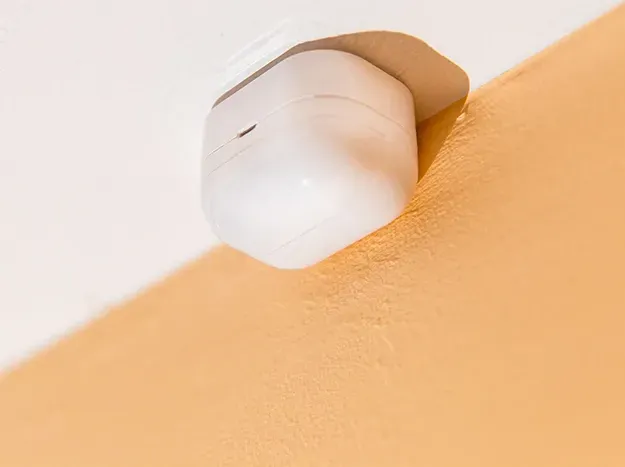
Find the best location for the Device and use
the supplied double-sided foam stickers to
ax it.
Initial Inclusion
⚠NOTICE! If you choose to use the Device
with the Shelly Smart Control mobile applica-
tion, you must have at least one permanently
powered Shelly Wi-Fi and Bluetooth (Gen2 or
following) device, which during installation
should be referred to as a Bluetooth gateway.
You can nd instructions on how to connect
the Device to the Cloud and control it through
the Shelly Smart Control app in the mobile
application guide.
The Shelly mobile application and Shelly
Cloud service are not conditions for the De-
vice to function properly. This Device can be
used standalone or with various other home
automation platforms which support BTH-
ome protocol.
For more information visit bthome.io
Replacing the battery
⚠CAUTION! Use only 3 V CR2477 or a com-
patible battery! Pay attention to the battery
polarity!
1. Insert a 3 to 5 mm wide at blade screw-
driver in the slot, as shown in Fig. 2.
2. Carefully turn the screwdriver to pop open
the back cover of the Device.
3. Extract the exhausted battery by pushing it
out of its holder.
4. Slide in a new battery.
5. Replace the back cover by pressing it
against the main body of the Device until
you hear a clicking sound.
⚠CAUTION! Make sure the small cutout
on the back cover is on the same side as the
matching cutout on the main body as shown
in Fig. 2!
Troubleshooting
In case you encounter problems with the in-
stallation or operation of ShellyBLU Motion,
please check its knowledge base page:
https://shelly.link/blu-motion_kb
Specications
• Dimensions (HxWxD): 32x42x27 mm /
1.26х1.65х1.06 in
• Weight: 26 g / 0.92 oz (with battery)
• Ambient temperature:
from -20 °C to 40 °C / from -5 °F to 105 °F
• Humidity 30 % to 70 % RH
• Power supply: 1x 3 V CR2477 battery
(included)
• Battery life: 5 years
• Radio protocol: Bluetooth
• RF band: 2400 - 2483.5 MHz
• Max. RF power: 4 dBm
• Beacon function: Yes
• Encryption: AES encryption (CCM mode)
• Operational range (depending on local
conditions):
 - up to 30 m outdoors
 - up to 10 m indoors
Declaration of conformity
Hereby, Shelly Europe Ltd. (former Allterco
Robotics EOOD) declares that the radio
equipment type ShellyBLU Motion is in com-
pliance with Directive 2014/53/EU, 2014/35/
EU, 2014/30/EU, 2011/65/EU. The full text of
the EU declaration of conformity is available
at the following internet address:
https://shelly.link/blu-motion-DoC
Manufacturer: Shelly Europe Ltd.
Address: 103 Cherni vrah Blvd., 1407 Soa,
Bulgaria
Tel.: +359 2 988 7435
E-mail: support@shelly.com
Ocial website: https://www.shelly.com
Changes in the contact information data are
published by the Manufacturer on the ocial
website.
https://www.shelly.com
All rights to the trademark Shelly® and other
intellectual rights associated with this Device
belong to Shelly Europe Ltd.
oder die Kommunikation mit dem Gerät über-
prüfen möchten, drücken Sie zweimal die
Steuertaste, um das Gerät in den Testmodus
zu versetzen. Eine Minute lang sendet das
Gerät jede Bewegungserkennung und zeigt
dies durch ein rotes Blinken an.
Finden Sie den besten Standort für das Gerät
und befestigen Sie es mit den mitgelieferten
doppelseitigen Klebestreifen.
Erstmalige Einbindung
⚠HINWEIS! Wenn Sie das Gerät mit der
mobilen Shelly Smart Control-Anwendung
verwenden möchten, müssen Sie über min-
destens ein dauerhaft mit Strom versorgtes
Shelly-WLAN- und Bluetooth-Gerät (Gen2 oder
höher) verfügen, das bei der Installation als
Bluetooth-Gateway bezeichnet werden sollte.
Anweisungen zum Verbinden des Geräts mit
der Cloud und zur Steuerung über die Shelly
Smart Control-App nden Sie im Handbuch
zur mobilen Anwendung.
Die Shelly App und der Shelly Cloud Service
sind keine Voraussetzung für die ordnungs-
gemäße Funktion des Geräts. Dieses Gerät
kann eigenständig oder mit verschiedenen
anderen Hausautomatisierungsplattformen,
die das BTHome-Protokoll unterstützen, ver-
wendet werden.
Für weitere Informationen besuchen Sie
bthome.io
Austausch der Batterie
⚠VORSICHT! Verwenden Sie nur 3V CR2477
oder eine kompatible Batterie! Achten Sie auf
die Polarität der Batterie!
1. Führen Sie einen 3 bis 5 mm breiten
Schlitzschraubendreher in den Schlitz ein,
wie in Abb. 2 gezeigt.
2. Drehen Sie den Schraubendreher vorsich-
tig, um die hintere Abdeckung des Geräts
zu öffnen.
3. Nehmen Sie die leere Batterie heraus, in-
dem Sie sie aus der Halterung schieben.
4. Setzen Sie eine neue Batterie ein.
5. Bringen Sie die hintere Abdeckung wieder
an, indem Sie sie gegen das Hauptgehäu-
se des Geräts drücken, bis Sie ein Klickge-
räusch hören.
⚠VORSICHT! Stellen Sie sicher, dass sich
der kleine Ausschnitt auf der Rückseite auf
derselben Seite bendet wie der passende
Ausschnitt am Hauptgehäuse, wie in Abb. 2
gezeigt!
Fehlerbehebung
Sollten Sie Probleme mit der Installation oder
dem Betrieb von ShellyBLU Motion haben,
schauen Sie bitte auf der Seite der Wissens-
datenbank nach:
https://shelly.link/blu-motion_kb
Technische Daten
• Abmessungen (HxBxT): 32x42x27 mm /
1.26х1.65х1.06 in
• Gewicht: 26 g / 0.92 oz (mit Batterie)
• Umgebungstemperatur: -20 °C bis 40 °C /
-5 °F bis 105 °F
• Luftfeuchtigkeit 30 % bis 70 % RH
• Stromversorgung: 1x 3V CR2477-Batterie
(im Lieferumfang enthalten)
• Batterielebensdauer: 5 Jahre
• Funkprotokoll: Bluetooth
• Frequenzband: 2400 - 2483.5 MHz
• Max. Sendeleistung in Frequenzband:
<4 dBm
• Beacon-Funktion: Ja
• Verschlüsselung: AES-Verschlüsselung
(CCM-Modus)
• Reichweite (abhängig von den baulichen
Gegebenheiten):
 - bis zu 30 m im Freien,
 - bis zu 10 m in Innenräumen
Konformitätserklärung
Hiermit erklärt Shelly Europe Ltd. (ehemals
Allterco Robotics EOOD), dass die Funk-
anlage Typ ShellyBLU Motion der Richtlinie
2014/53/EU, 2014/35/EU, 2014/30/EU,
2011/65/EU entspricht. Den vollständigen
Text der EU-Konformitätserklärung nden
Sie unter folgender Internetadresse:
https://shelly.link/blu-motion-DoC
Hersteller: Shelly Europe Ltd.
Adresse: 103 Cherni vrah Blvd., 1407 Soa,
Bulgarien
Tel.: +359 2 988 7435
E-Mail: support@shelly.com
Ozielle Website: https://www.shelly.com
Änderungen der Kontaktdaten werden vom
Hersteller auf dessen oziellen Website ver-
öffentlicht https://www.shelly.com
Alle Rechte an der Marke Shelly® und ande-
ren geistigen Eigentumsrechten im Zusam-
menhang mit diesem Gerät gehören Shelly
Europe Ltd.
Per ripristinare la congurazione del disposi-
tivo alle impostazioni di fabbrica, tenere pre-
muto il pulsante per 30 secondi poco dopo
aver inserito la batteria.
Se si desidera vericare il campo di rileva-
mento del movimento o la comunicazione
con il dispositivo, premere due volte il pul-
sante di controllo per impostare il dispositivo
in modalità test. Per un minuto, il dispositivo
trasmetterà ogni rilevamento di movimento,
segnalandolo con un lampo rosso.
Individuare la posizione migliore per il di-
spositivo e utilizzare gli adesivi biadesivi in
dotazione per ssarlo.
Inclusione iniziale
⚠AVVISO! Se si sceglie di utilizzare il Dis-
positivo con l'applicazione mobile Shelly
Smart Control, è necessario disporre di al-
meno un dispositivo Shelly Wi-Fi e Bluetooth
(Gen2 o successivo) alimentato in modo
permanente che durante l'installazione deve
essere indicato come gateway Bluetooth.
È possibile trovare le istruzioni su come con-
nettere il dispositivo al cloud e controllarlo
tramite l'app Shelly Smart Control nella guida
dell'applicazione mobile.
L'applicazione mobile Shelly e il servizio Shelly
Cloud non sono condizioni per il corretto fun-
zionamento del Dispositivo. Questo dispositi-
vo può essere utilizzato da solo o con diverse
altre piattaforme di automazione domestica
che supportano il protocollo BTHome.
Per maggiori informazioni, visitate bthome.io
Sostituzione della batteria
⚠ATTENZIONE! Utilizzare solo batterie
CR2477 da 3 V o compatibili! Prestare atten-
zione alla polarità della batteria!
1. Inserire un cacciavite a lama piatta da 3
a 5 mm di larghezza nella fessura, come
illustrato nella Fig. 2.
2. Ruotare con cautela il cacciavite per aprire
il coperchio posteriore del dispositivo.
3. Estrarre la batteria esaurita spingendola
fuori dal suo supporto.
4. Inserire una nuova batteria.
5. Riposizionare il coperchio posteriore pre-
mendolo contro il corpo principale del di-
spositivo nché non si sente un clic.
⚠ATTENZIONE! Assicurarsi che la piccola
fessura sul coperchio posteriore sia sullo
stesso lato della fessura corrispondente sul
corpo principale, come mostrato nella Fig. 2!
Risoluzione dei problemi
In caso di problemi con l’installazione o il fun-
zionamento di ShellyBLU Motion, si prega di
consultare la pagina della base di conoscen-
za: https://shelly.link/blu-motion_kb
Speciche
• Dimensioni (AxLxP): 32x42x27 mm /
1.26х1.65х1.06 in
• Peso: 26 g / 0.92 once (con batteria)
• Temperatura ambiente: da -20 °C a 40 °C /
da -5 °F a 105 °F
• Umidità Dal 30 % al 70 % di umidità
relativa
• Alimentazione: 1 batteria CR2477 da 3
V (inclusa)
• Vita della batteria: 5 anni
• Protocollo radio: Bluetooth
• Bande di radiofrequenza:
2400 - 2483.5 MHz
• Massima potenza a radiofrequenza:
<4 dBm
• Funzione faro: sì
• Crittograa: crittograa AES (modalità
CCM)
• Portata operativa (a seconda della
struttura locale):
 - no a 30 m all'aperto,
 - no a 10 m all'interno
Dichiarazione di conformità
Con la presente, Shelly Europe Ltd. (ex Allter-
co Robotics EOOD) dichiara che il tipo di ap-
parecchiatura radio ShellyBLU Motion è con-
forme alla Direttiva 2014/53/UE, 2014/35/
UE, 2014/30/EU, 2011/65/EU. Il testo com-
pleto della dichiarazione di conformità UE
è disponibile al seguente indirizzo internet:"
https://shelly.link/blu-motion_DoC
Produttore: Shelly Europe Ltd.
Indirizzo: 103 Cherni vrah Blvd., 1407 Soa,
Bulgarien
Tel.: +359 2 988 7435
E-mail: support@shelly.cloud
Sito web uciale: https://www.shelly.com
Le modiche ai dati di contatto sono pub-
blicate dal Produttore sul sito Web uciale.
https://www.shelly.com
Tutti i diritti sul marchio Shelly® e altri diritti
intellettuali associati a questo dispositivo
appartengono a Shelly Europe Ltd.
32/2023
Fig.1/Abb.1
Fig.2/Abb.2
B
A
EN
Legend
• A: Motion sensor lens (light sensor and
LED indicator behind the lens)
• B: Control button (behind the back cover)
DE
Legende
• A: Bewegungssensorlinse (Lichtsensor
und LED-Anzeige hinter der Linse)
• B: Steuertaste (hinter der hinteren Ab-
deckung)
IT
Legenda
• A: lente del sensore di movimento (sensore
di luce e indicatore LED dietro la lente)
• B: Pulsante di controllo (dietro il coperchio
posteriore)

Chatta con il manuale del tuo Shelly BLU Motion utilizzando l'IA

Ottieni risposte istantanee dall'IA dal manuale del tuo Shelly BLU Motion

Chiedi qualsiasi cosa sul Shelly BLU Motion. Le risposte provengono da questo manuale, con le pagine di riferimento.

Fai una Domanda

0/1000

Consigli BLU Motion?

Sì No

Domande frequenti

A

Shelly BLU Motion es un detector de movimiento Bluetooth compacto con un medidor de lux integrado. Transmite eventos de movimiento, lecturas de luz ambiental (lux) y estado de la batería a pasarelas Bluetooth compatibles o sistemas habilitados para BTHome.

Questa risposta è utile?

A

Abra el dispositivo para acceder al botón de control, manténgalo pulsado durante 10 segundos para entrar en modo de emparejamiento (indicado por destellos azules). El dispositivo esperará conexiones durante un minuto y expone las características Bluetooth estándar descritas en la API BLE de Shelly.

Questa risposta è utile?

A

El sensor usa una única batería CR2477 de 3 V (incluida). Para reemplazarla, inserte un destornillador de cabeza plana de 3–5 mm en la ranura de la cubierta trasera, haga palanca con cuidado, saque la batería vieja, inserte una nueva respetando la polaridad y vuelva a colocar la tapa.

Questa risposta è utile?

A

Sí. Para usar la aplicación Shelly Smart Control y la integración en la nube necesita al menos un dispositivo Shelly Wi‑Fi + Bluetooth (Gen2 o posterior) siempre encendido como pasarela Bluetooth. El sensor también funciona de forma independiente o con otras plataformas compatibles con BTHome.

Questa risposta è utile?

A

Después de insertar la batería, mantenga pulsado el botón de control durante 30 segundos para restaurar la configuración de fábrica. Úselo solo cuando sea necesario, ya que borra las configuraciones personalizadas y los emparejamientos.

Questa risposta è utile?

A

El rango de temperatura de funcionamiento es de -20 °C a 40 °C y la humedad recomendada es del 30–70% HR. El dispositivo es solo para uso en interiores y debe mantenerse alejado de líquidos y ambientes de alta humedad.

Questa risposta è utile?

A

Sí. Las transmisiones Bluetooth admiten cifrado AES en modo CCM. No obstante, mantenga el firmware actualizado y siga las mejores prácticas de seguridad de red para mantener la protección.

Questa risposta è utile?

M: OA-GPT-5-NAN

Vantaggi e Svantaggi

Vantaggi

  • Funcionamiento con batería y larga duración (hasta 5 años) para bajo mantenimiento.
  • El medidor de lux integrado proporciona datos combinados de movimiento e iluminación.
  • Montaje fácil y tamaño compacto (32x42x27 mm) para colocación flexible.
  • Los modos beacon y de prueba ofrecen transmisiones de estado frecuentes para integración.
  • El cifrado AES (CCM) protege las comunicaciones Bluetooth.
VS

Svantaggi

  • Solo para uso en interiores — no apto para áreas húmedas o mojadas.
  • Alcance interior limitado (hasta ~10 m) que puede requerir una pasarela Bluetooth para mayor cobertura.
  • El reemplazo de la batería CR2477 requiere abrir el dispositivo con un destornillador.
  • Las actualizaciones de firmware son opcionales — los usuarios que las omitan pueden perder correcciones de seguridad.
  • No hay piezas reparables por el usuario; el dispositivo no debe ser reparado por los usuarios finales.
M: OA-GPT-5-NAN

Prodotto Specifiche

Tipo

Sensore

Standard

Bluetooth 4.2, MQTT

Funzione

Movimento, Luminosita'

Topologia

Stella, Mesh

Dimensioni

42 x 32 x 27 mm

Caratteristiche speciali

alimentato a batteria (1 x CR2477), controllato da app (Android, iOS), assistente vocale (Amazon Alexa, Google Assistant), Google Home, Samsung SmartThings

M: GO-GEM-FL-25

Descrizione del prodotto Descrizione

Shelly BLU Motion — Sensor de movimiento Bluetooth inteligente

Shelly BLU Motion es un sensor de movimiento compacto, alimentado por batería y con Bluetooth, que incluye un medidor de lux integrado diseñado para uso doméstico en interiores. Ligero y fácil de montar con las cintas de espuma de doble cara incluidas, ofrece eventos de movimiento, lecturas de luz ambiental y estado de la batería a pasarelas Bluetooth cercanas o plataformas compatibles con BTHome. El dispositivo se envía con una batería CR2477 instalada y admite una larga duración de la batería (hasta 5 años con uso típico). La retroalimentación LED indica la detección de movimiento con un breve destello rojo, y el sensor puede configurarse en modo de prueba para transmitir cada detección durante un minuto.

El emparejamiento es sencillo: abra el dispositivo para acceder al botón de control, manténgalo pulsado durante 10 segundos para entrar en el modo de emparejamiento (destellos azules) y el dispositivo esperará conexiones durante un minuto. Está disponible el modo beacon para transmitir actualizaciones cada 30 segundos. Los usuarios pueden desactivar la indicación LED si lo prefieren. Una pulsación de 30 segundos después de insertar la batería restaura la configuración de fábrica. Shelly proporciona actualizaciones de firmware a través de su interfaz web integrada o la aplicación móvil; instalar las actualizaciones es decisión del usuario pero se recomienda por seguridad y cumplimiento.

Las notas prácticas de instalación y seguridad incluyen uso solo en interiores, mantener el dispositivo alejado de líquidos y alta humedad, y evitar reparaciones por parte del usuario. El sensor de movimiento está cifrado (AES CCM) y opera en Bluetooth en 2400–2483.5 MHz con potencia RF moderada (<4 dBm). El alcance operativo típico es de hasta 10 m en interiores y hasta 30 m en exteriores dependiendo de las condiciones locales.

La instalación y el mantenimiento son sencillos: levante la cubierta trasera con un destornillador de cabeza plana de 3–5 mm, reemplace la batería CR2477 respetando la polaridad y vuelva a colocar la tapa alineando las pequeñas muescas. Hay recursos de resolución de problemas y base de conocimientos disponibles a través de los enlaces de soporte de Shelly.

Notas

  • Requiere un dispositivo Shelly Wi‑Fi + Bluetooth (Gen2+) siempre encendido para usar la aplicación Shelly Smart Control como pasarela Bluetooth; sin embargo, el sensor puede funcionar de forma independiente o con otras plataformas compatibles con BTHome.
  • Las actualizaciones de firmware se proporcionan de forma gratuita pero son opcionales; la falta de actualizaciones puede afectar la conformidad o la seguridad.
  • Mantener dentro de los rangos de temperatura especificados (-20 °C a 40 °C) y humedad (30–70% HR).
M: OA-GPT-5-NAN

© Copyright 2026 Manual.ly