
Hama Tilt Ultraslim Manuale
Manuale PDF · 30 Pagine
Italiano



Controllo rapido
Risposta errata, riprova.
Chatta con il manuale del tuo Hama Tilt Ultraslim utilizzando l'IA
Ottieni risposte istantanee dall'IA dal manuale del tuo Hama Tilt Ultraslim
Chiedi qualsiasi cosa sul Hama Tilt Ultraslim. Le risposte provengono da questo manuale, con le pagine di riferimento.
Tilt Ultraslim Programma di manutenzione
Verificare che la staffa sia saldamente fissata, non superi la capacità massima di trasporto e non presenti danni. Ripetere questo controllo almeno ogni tre mesi.
Utilizzare solo acqua o detergenti domestici standard per la pulizia del prodotto.
Promemoria di manutenzione gratuiti
In base alla data di acquisto. Sempre gratuito, annulla l'iscrizione in qualsiasi momento.
Fai una Domanda
Consigli Tilt Ultraslim?
Sì NoConsigli Tilt Ultraslim?
Sì NoDomande frequenti
Il prodotto supporta una capacità massima di carico di 80 kg, adatto per display a schermo piatto fino a 90 pollici.
Questa risposta è utile?
I tasselli forniti sono approvati solo per calcestruzzo e mattoni solidi. Per altri materiali acquista tasselli adatti da un rivenditore.
Questa risposta è utile?
Dovresti controllare che il prodotto sia montato in sicurezza a intervalli regolari, almeno ogni 3 mesi, per garantire la sicurezza.
Questa risposta è utile?
No, non devi mai montare il prodotto sopra luoghi dove le persone potrebbero sostare per evitare lesioni da dispositivi in caduta.
Questa risposta è utile?
Viene incluso un kit di installazione con il supporto, ma potresti aver bisogno di materiali aggiuntivi in base al tuo tipo di muro.
Questa risposta è utile?
No, il supporto è destinato solo all'uso all'interno degli edifici e per uso domestico privato.
Questa risposta è utile?
In caso di danno, rimuovi il carico allegato e smetti di usare il prodotto immediatamente. Non riprovare.
Questa risposta è utile?
Vantaggi e Svantaggi
Vantaggi

- Supporta schermi pesanti fino a 80 kg con costruzione stabile.
- Profondità ultra-sottile di 2 cm offre un'estetica minimalista.
- La compatibilità VESA copre dimensioni fino a 600x400 mm.
- Include regolazione dell'inclinazione per riduzione del riverbero.
- Kit di installazione completo per muri solidi standard.
Svantaggi

- I tasselli per muro si adattano solo a calcestruzzo e mattoni solidi.
- Richiede due persone per installazione e regolazione sicura.
- L'angolo di inclinazione è limitato a 15 gradi verso il basso.
- Controlli di sicurezza regolari ogni 3 mesi sono obbligatori.
- Non adatto per ambienti commerciali o esterni.
Prodotto Specifiche
Tipo
Montaggio a muro
Numero di monitor
1
Dimensione schermo
93,98-228,60 cm
Mobilità
Inclinabile (-15 gradi, 0 gradi), Ruotabile (3 gradi)
Distanza dal muro
2,01 cm
Capacità di carico massima
80,00 kg
VESA
min. 50x50, max. 600x400
Caratteristiche
Livello
Colore
Nero
Descrizione del prodotto Descrizione
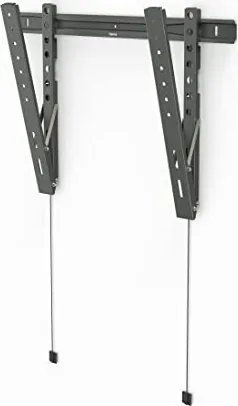
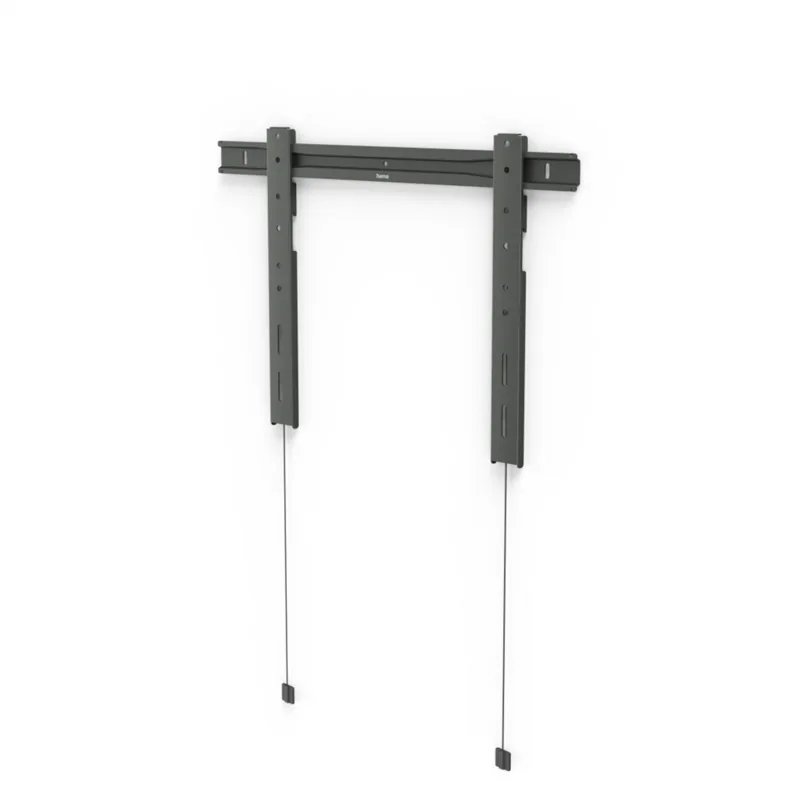
Hama TILT Ultraslim Supporto Parete TV 600x400
Goditi un comfort di visione superiore con il supporto da parete TV Hama TILT Ultraslim 600x400. Questo accessorio elegante è progettato per le case moderne che cercano una pulizia estetica senza compromettere la stabilità. Il suo profilo ultra-sottile misura appena 2 centimetri di profondità, garantendo che il tuo centro intrattenimento appaia impeccabile sostenendo schermi pesanti senza sforzo. Il supporto accetta display a pannello piatto da 37 a 90 pollici, gestendo una capacità di carico massima di 80 chilogrammi con sicurezza.
L'installazione richiede una pianificazione attenta e gli strumenti corretti forniti nel kit. La piastra murale misura 67,4 cm per 5 cm, aderisce agli standard VESA fino a 600x400 millimetri. Sebbene l'hardware incluso supporti efficacemente muri in calcestruzzo e mattoni solidi, gli utenti devono verificare l'idoneità del muro prima di forare. La funzione di inclinazione regolabile consente un angolo verso il basso di 15 gradi, riducendo il riverbero per posizioni di visione ottimali. Questa funzionalità è cruciale per il montaggio sopra il livello degli occhi.
La sicurezza è fondamentale quando si tratta di apparecchiature elettroniche pesanti. Non dovresti mai tentare questa installazione da solo. L'assistenza di una seconda persona garantisce che l'unità rimanga sicura durante il processo. Controlli regolari sono raccomandati ogni 3 mesi per mantenere l'integrità strutturale. Assicurati sempre che le viti siano serrate a mano e non superare le dimensioni specificate. Non montare mai questo prodotto dove potrebbero stare persone, poiché oggetti che cadono comportano rischi significativi. Verifica sempre la presenza di cavi elettrici o tubazioni all'interno dell'area di montaggio. Se incontri incertezza, consulta un tecnico qualificato piuttosto che rischiare lesioni personali. Non applicare forza eccessiva durante il processo.
Una manutenzione adeguata mantiene la tua configurazione sicura per anni. Usa solo acqua o detergenti domestici standard per la polvere. Evita prodotti chimici aggressivi che potrebbero danneggiare la finitura. Se si verifica qualsiasi danno, rimuovi il carico immediatamente e cessa l'uso. Non sovraccaricare il supporto con dispositivi che superano i limiti di peso consentiti. Tieni il libretto delle istruzioni al sicuro per riferimenti futuri durante spostamenti o aggiornamenti. Questo supporto trasforma il tuo spazio abitativo in un'esperienza cinema.
La versatilità di questo prodotto si adatta a varie configurazioni home theater. Supporta TV piane e curve purché corrispondano esattamente alla profondità e ai requisiti VESA. I distanziatori sono disponibili per compensare i dorsi irregolari sui modelli specifici. Ricorda che le tasselle fornite funzionano solo per materiali solidi come il calcestruzzo. Altri tipi di muro necessitano di ancoraggi specifici acquistati separatamente da rivenditori specializzati. Non lasciare mai l'installazione incompleta perché crea pericoli. Assicurati che i cavi rimangano accessibili dopo aver appeso il dispositivo. Goditi i tuoi schermi con la tranquillità di sapere che sono tenuti saldamente in posizione da un design ingegneristico affidabile adatto esclusivamente all'uso domestico privato.
La confezione contiene ogni vite e tassello necessario elencato nei diagrammi. Verifica che non manchino parti prima di iniziare il processo di assemblaggio. Le viti inutilizzate dovrebbero essere conservate con questa guida. Alcuni schermi potrebbero richiedere bulloni più lunghi di quelli inclusi. Il dispositivo non è destinato all'uso commerciale o ad ambienti esterni. Verifica sempre che il peso dello schermo corrisponda strettamente al limite di 80 kg. Segui i passaggi illustrati con precisione per migliori risultati. Proteggi il tuo spazio di visione oggi con questa soluzione di montaggio robusta progettata per la longevità.
Cerca tra 67.732 manuali online


Digita il marchio o il modello