
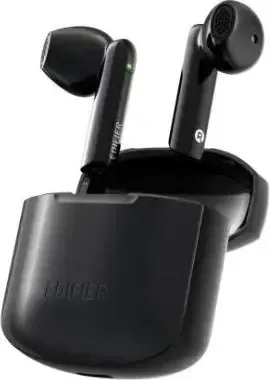
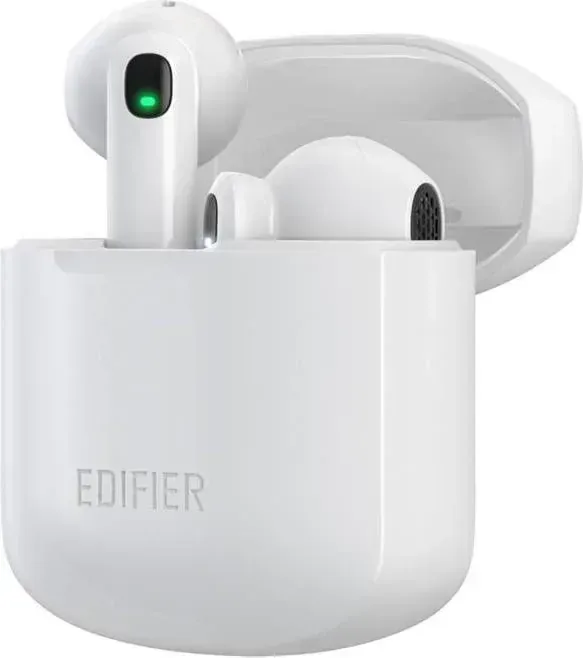
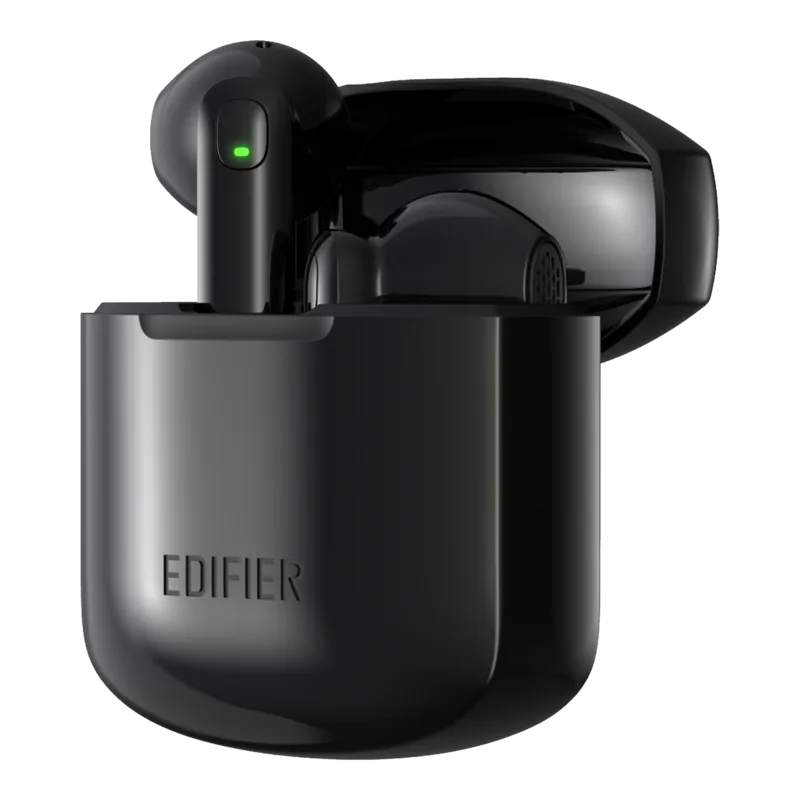
Edifier W200T mini Manuale
Manuale PDF · 29 Pagine
Italiano



Controllo rapido
Risposta errata, riprova.
Chatta con il manuale del tuo Edifier W200T mini utilizzando l'IA
Ottieni risposte istantanee dall'IA dal manuale del tuo Edifier W200T mini
Chiedi qualsiasi cosa sul Edifier W200T mini. Le risposte provengono da questo manuale, con le pagine di riferimento.
Fai una Domanda
Consigli W200T mini?
Sì NoDomande frequenti
Remove earbuds from case. They light up. Tap touch panel twice to connect left to right. Select device in settings to pair.
Questa risposta è utile?
Green LED lit means on. Blinking rapidly indicates pairing mode. Blinking twice every 5s means linked.
Questa risposta è utile?
Hold touch panel on both units for 8 seconds separately to reset. Ensure disconnected from other devices.
Questa risposta è utile?
Single tap play/pause. Double tap next track. Triple tap voice assistant. These gestures allow easy playback management.
Questa risposta è utile?
Tap to answer. Tap or double tap to end depending on settings. Double tap reject. This controls calls easily.
Questa risposta è utile?
Yes, they reconnect to the last paired device automatically after the first setup.
Questa risposta è utile?
Remove from case. If disconnected, tap twice until green LED blinks rapidly to link them.
Questa risposta è utile?
Vantaggi e Svantaggi
Vantaggi

- Seamless auto-connectivity to last paired device for hassle-free daily usage.
- Clear green LED indicators provide accurate feedback on connection and battery status.
- Intuitive touch controls manage playback, calls, and voice assistant access easily.
- Compact charging case ensures extended battery life for long travel days.
- Separate reset function allows troubleshooting left and right earbud issues individually.
Svantaggi

- Reset process requires holding touch panels for eight seconds on both units.
- Green LED blink patterns may be difficult to distinguish in bright outdoor light.
- Users must perform reset sequence separately for left and right earbuds specifically.
- Pairing mode activation requires disconnecting from all other active devices first.
- Touch panel sensitivity might register accidental taps if pressed too quickly.
Prodotto Specifiche
Tipo
Intrauricolari
Design
Senza fili, senza gancio
Microfono
Integrato
Wireless
Bluetooth 5.1, aptX
Controlli
Touch
Autonomia
4h, 22h (con custodia di ricarica)
Batteria
Porta di ricarica USB-C, Custodia di ricarica, 1h di ricarica
Sensibilità
94dB
Altoparlanti
1,30 cm
Caratteristiche dispositivo
Resistente all'acqua (IP54)
Funzioni software
Preimpostazioni equalizzatore, Equalizzatore personalizzato, Controllo app
Peso
3,97 g (per cuffia), 30,05 g (custodia di ricarica)
Descrizione del prodotto Descrizione
Edifier W200T mini Wireless Earbuds Overview
The Edifier W200T mini has established itself as a solid contender in the compact wireless audio market. Designed for portability, these true wireless earbuds offer a secure fit and a range of practical features that cater to everyday users. Before settling into a routine, many enthusiasts look for guidance similar to the Edifier W200T mini Manual to optimize settings and ensure longevity of the hardware.
Power management is streamlined for convenience. When you take the earbuds out of the case, they turn on instantly, indicated by a green LED lasting one second. Pairing them to your phone requires selecting the specific unit in settings, usually labeled EDIFIER W200T mini R or L. For subsequent uses, the earbuds auto-connect to the last paired device, removing the need for repetitive selection. This feature saves time and reduces frustration.
Detailed Touch Controls and Functions
Customizing your interaction with the device is simple and intuitive. The touch panel supports multiple functions depending on the gesture used. Single taps control playback status or track navigation easily. A triple tap usually engages the voice assistant, allowing for hands-free interaction. During calls, the controls shift to answer or end connections with ease. This versatility ensures that music and communication remain uninterrupted regardless of your activity level. The tactile response is immediate.
LED Indicator System and Charging
Visual feedback is key to troubleshooting connectivity issues. The green LED signals connectivity status clearly during operation. If the earbuds need to sync with each other after a reset, a specific blink pattern appears. After successful connection, the green light blinks twice every five seconds. To fix persistent connection issues, users can perform a reset by holding the panels for eight seconds. Note that left and right units must be reset individually. The blinking pattern confirms that the earbuds have entered pairing mode correctly.
When you place the earbuds inside the case, the green LED turns off, confirming they are charging. This clear indication helps users track charge levels visually without needing complex apps. Understanding these light signals prevents accidental disconnection and ensures the devices are ready. If the green LED blinks rapidly during operation, it typically indicates a pairing mode is active.
Edifier has been a trusted name in audio for years, and this model continues that legacy. The earbud fit is ergonomic for long listening sessions, preventing fatigue during extended playback times. Battery life is sufficient for standard usage hours, supported by the compact charging case which keeps the device powered during travel. Touch sensitivity is high, ensuring taps are registered correctly even with minimal pressure.
Final Thoughts
The compact design fits easily into pockets or bags, ensuring they are always accessible. The physical product remains robust and durable. The Bluetooth connectivity is standard, allowing for broad device compatibility. This ensures that you can use these earbuds with older laptops and newer smartphones alike.
Cerca di 67.706 Manuali online


Digita il marchio o il modello