
Cameo AURO SPOT Z 300 Manuale
Manuale PDF · 94 Pagine
Italiano



Controllo rapido
Risposta errata, riprova.
Chatta con il manuale del tuo Cameo AURO SPOT Z 300 utilizzando l'IA
Ottieni risposte istantanee dall'IA dal manuale del tuo Cameo AURO SPOT Z 300
Chiedi qualsiasi cosa sul Cameo AURO SPOT Z 300. Le risposte provengono da questo manuale, con le pagine di riferimento.
AURO SPOT Z 300 Programma di manutenzione
Attendere almeno 10 minuti dopo il funzionamento prima di toccare o trasportare il dispositivo per consentirne il raffreddamento.
Utilizzare un panno asciutto per la pulizia. Non aprire l'unità né modificarla.
Il personale qualificato deve eseguire la manutenzione o la pulizia dell'unità regolarmente in base alle condizioni ambientali come polvere, nicotina o nebbia per prevenire il surriscaldamento.
Fai una Domanda
Consigli AURO SPOT Z 300?
Sì NoDomande frequenti
Supporta il controllo DMX-512 in due modalita (17 canali e 20 canali). Fornisce anche il funzionamento Master/Slave e funzioni standalone come programmi automatici e macro utente statiche. Il menu di bordo consente di impostare direttamente l'indirizzo DMX e la modalita operativa.
Questa risposta è utile?
Utilizzare il pulsante MODE per aprire il menu delle opzioni, quindi selezionare System Settings e l'opzione DMX Address. Le cifre dell'indirizzo di avvio possono essere regolate con i tasti freccia, quindi confermate con ENTER. Premere MODE per tornare alla schermata principale.
Questa risposta è utile?
Quando il DMX viene interrotto, il display indica la perdita di DMX e cambia il colore dello sfondo. L'apparecchio puo essere configurato per un comportamento in caso di guasto DMX, come mantenere l'ultimo comando o attivare il blackout, a seconda dell'impostazione di sistema selezionata.
Questa risposta è utile?
Si. La modalita statica consente di impostare direttamente i parametri pan/tilt, colore, gobos, strobo, zoom, messa a fuoco, frost e prisma utilizzando i controlli dell'apparecchio. Sono disponibili quattro macro utente per salvare e richiamare le impostazioni preferite per look rapidi e ripetibili.
Questa risposta è utile?
Si. Il faretto e conforme allo standard RDM, consentendo a un controller compatibile con RDM di richiedere lo stato e configurare gli endpoint RDM supportati. Cio e utile per il monitoraggio e la gestione in configurazioni piu grandi.
Questa risposta è utile?
I dispositivi DMX sono collegati in serie utilizzando DMX IN e DMX OUT. Mantenere i cavi di collegamento il piu corti possibile per una migliore affidabilita di trasmissione. Inoltre, l'ultimo dispositivo nella catena dovrebbe essere dotato di un terminatore per ridurre gli errori.
Questa risposta è utile?
Vantaggi e Svantaggi
Vantaggi

- Testa mobile LED da 200 W con zoom, messa a fuoco e filtro frost per look versatili
- Ruota colori, 2 ruote gobo e 2 prismi consentono effetti stratificati e creativi
- Controllo DMX con modalita 17CH e 20CH piu programmi Master/Slave e standalone
- Modalita statica e 4 macro utente consentono la creazione di scene senza un controller esterno
- Il supporto RDM consente richieste di stato e configurazione remota con controller compatibili RDM
Svantaggi

- Le tabelle dei canali standard e il funzionamento si basano su corrette pratiche di indirizzamento e cablaggio DMX
- I risultati standalone e delle macro dipendono da un'attenta configurazione del menu nell'apparecchio da parte dell'utente
- I requisiti di sicurezza includono l'uso solo in interni e la gestione professionale per installazioni aeree
Prodotto Specifiche
Modello del fascio
Spot
Sorgente luminosa
LED
Consumo energetico
200 W
Angolo del fascio
10-25°
Angolo PAN
540°
Angolo TILT
270°
Miscelazione colore
LED (RGBW)
Effetti
Dimmer, Strobo
Controllo
DMX (20 canali), Master/Slave
Dimensioni
282 x 469 x 186 mm (LxAxP)
Peso
11,20 kg
Descrizione del prodotto Descrizione
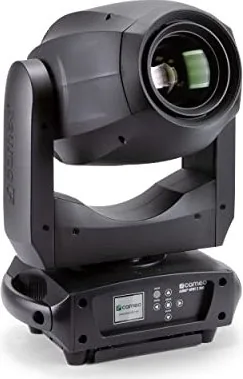
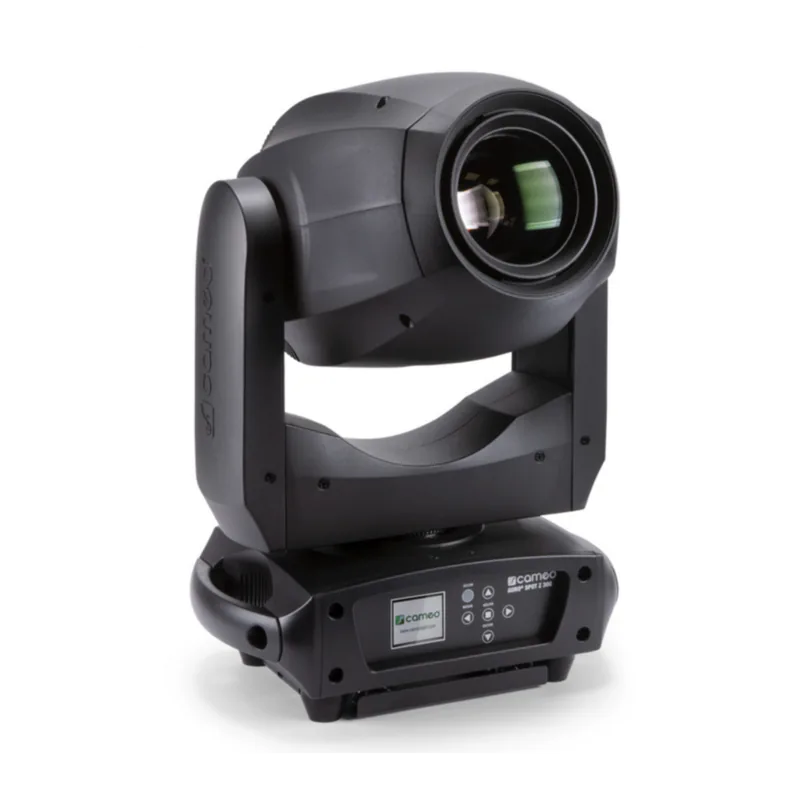
Cameo AURO SPOT Z 300 - Potente testa mobile LED con zoom per palco ed eventi
La Cameo AURO SPOT Z 300 e una testa mobile LED professionale progettata per prestazioni affidabili e a lungo termine nell'illuminazione per eventi. Costruita attorno a un motore LED da 200 W, offre un fascio nitido e dinamico con controllo zoom, messa a fuoco e un aspetto atmosferico grazie a un filtro frost. Con una ruota colori e due ruote gobo, oltre a due prismi, il faretto supporta look versatili che vanno dai gobo nitidi agli effetti stratificati e scintillanti.
Il controllo e flessibile e adatto alla produzione. E possibile utilizzarlo tramite DMX utilizzando DMX-512 in due modalita canale, a 17 o 20 canali. Per i flussi di lavoro dal vivo, supporta anche il funzionamento Master/Slave e programmi standalone. Se si desidera iniziare rapidamente in loco, il display di bordo e le impostazioni alimentate a batteria consentono di configurare le opzioni di sistema anche quando l'unita non e collegata all'alimentazione, rendendo la configurazione piu rapida ed efficiente.
L'esperienza operativa e guidata da una chiara logica di menu: e possibile impostare l'indirizzo DMX di avvio, selezionare la modalita operativa e regolare il comportamento chiave come le curve del dimmer, l'inversione pan/tilt e la frequenza PWM del LED. L'unita dispone anche di opzioni di comportamento in caso di guasto DMX (mantenere l'ultimo comando o blackout), una correzione automatica opzionale della posizione e strumenti di ripristino del motore e test di funzionamento. Quando il DMX viene interrotto, il display puo indicare chiaramente lo stato, aiutando gli operatori a risolvere i problemi in tempo reale.
Per la progettazione degli effetti, la modalita Statica e particolarmente utile. Consente di creare scene personalizzate direttamente sull'apparecchio assegnando valori per il movimento pan/tilt, il dimmer, il comportamento dello strobo, le selezioni di colore e gobo, lo zoom, la messa a fuoco, l'intensita del frost e le impostazioni del prisma. Quattro macro utente aiutano a memorizzare e riutilizzare le configurazioni preferite, in modo da poter riprodurre look in modo coerente senza un controller esterno.
Infine, la Cameo AURO SPOT Z 300 e conforme allo standard RDM (Remote Device Management), consentendo ai controller compatibili con RDM di richiedere lo stato e configurare gli endpoint compatibili. Il risultato e un faretto adatto sia a installazioni fisse che a rig da touring, che offre una forte potenza, una ricca varieta di effetti e pratiche funzioni di controllo.
Risultati chiave che ci si puo aspettare
- Potenza LED da 200 W ad alto impatto con zoom, messa a fuoco, filtro frost ed effetti ottici multistrato
- Controllo DMX-512 a 17CH o 20CH, piu programmi auto Master/Slave e standalone
- Configurazione rapida tramite display LC, menu di bordo e impostazioni di sistema supportate da batteria
- Modalita statica e macro utente per la creazione di scene indipendente dal controller
- Supporto RDM per controlli di stato e configurazione remota (configurazioni compatibili RDM)
Note
- Seguire sempre le indicazioni di sicurezza del manuale Cameo AURO SPOT Z 300: uso interno, non ostruire la ventilazione ed evitare di guardare il fascio LED.
- Per le catene DMX, mantenere i cavi corti e utilizzare un terminatore sull'ultimo apparecchio.
- L'installazione aerea richiede esperienza qualificata e adeguate misure di sicurezza.
Cerca di 67.706 Manuali online


Digita il marchio o il modello